



Keyless Entry Methods: PIN, Fingerprint, and NFC
Smart door locks are connected locking devices that replace or augment a traditional deadbolt with electronic authentication, remote control, and activity logging. At Door Armor, we understand the importance of secure entry methods, and the entry method matters more than the feature list suggests.
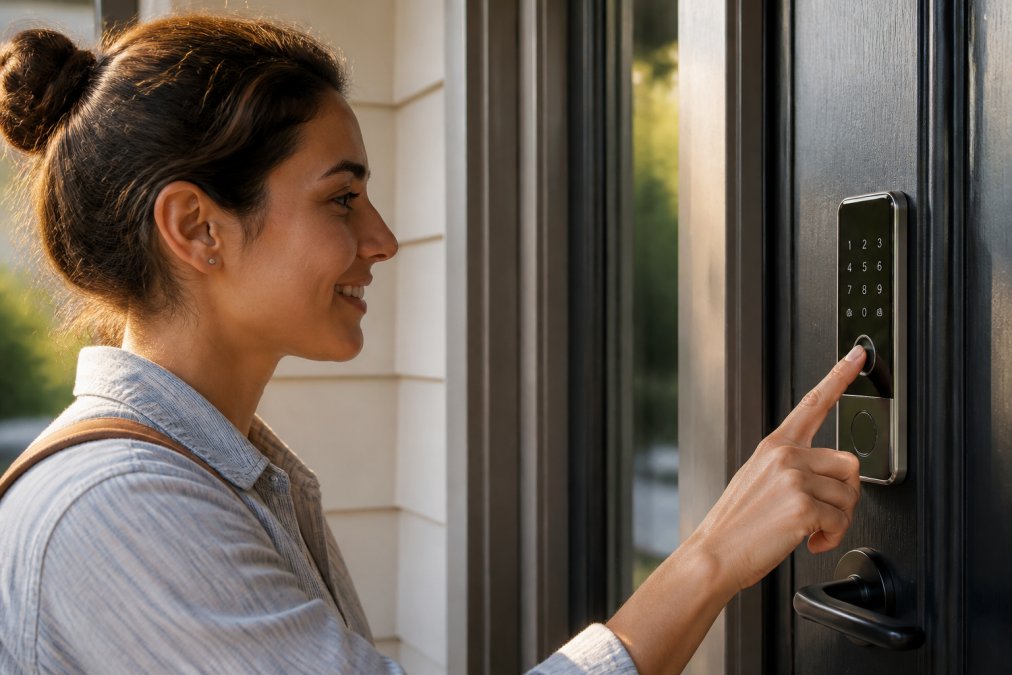
PIN codes remain the most practical option. You get temporary access codes for cleaners, dog walkers, or contractors, and you revoke them the moment they're no longer needed. That single capability solves a problem physical keys can't touch.
Fingerprint scanners and NFC technology sit at the convenience end. Biometric authentication reads a fingerprint in under a second, and mobile credentials let you unlock with a phone tap. Both work well until a wet finger or dead phone battery gets involved.
The honest trade-off: PIN pads add a touchscreen keypad to your door, while fingerprint scanners add a sensor that wears with heavy use. Pick based on who uses the door most, not on which sounds more advanced.
Smart Lock Security Standards: Encryption and Tamper Resistance
The security of a smart lock lives or dies on two things: how it encrypts data and how it resists physical attack. AES encryption protects the wireless signal between your lock and your phone, while two-factor authentication prevents someone with your password from walking in. The NIST cybersecurity framework outlines the encryption standards worth checking before you buy.
Tamper alarm and door sensor features matter just as much. A lock that screams when someone pries at it does more than a quiet one that opens anyway.
Here's what most buyers miss: a wireless protocol is only as strong as its weakest implementation. Bluetooth connectivity and Wi-Fi bridge setups vary wildly between brands. Check whether the manufacturer publishes security vulnerability disclosures and patches them quickly. A lock with no update history is a lock nobody is watching.
Smart Lock Battery Life Expectations and Power Management
Battery life is the specification buyers check last and complain about first. The honest range is wide, roughly three months on the low end to two years on the high end, and the variable that moves it most is how the lock talks to the outside world.
Power draw by connectivity mode:
- Bluetooth-only locks wake the radio only when a paired phone is nearby, so they routinely hit 12-24 months on a set of four AA batteries. The trade-off is no remote access when you're away from home.
- Z-Wave and Zigbee locks maintain a low-power mesh connection through a hub. Expect 6-12 months, with the hub handling the internet side so the lock itself stays efficient.
- Wi-Fi locks hold a live connection to your router and are the thirstiest design. Six months is a good outcome; three to four months is common in high-traffic households.
Battery chemistry matters too. Most manufacturers ship alkaline cells, but lithium AA batteries hold voltage more steadily in cold weather and typically deliver 20-30% more usable cycles in an exterior lock. If your door faces winter wind or direct summer sun, lithium is worth the premium.
Wake-on-radio and event-driven design. Better locks keep the radio asleep and wake it only for a credential read, an auto-lock timer, or a scheduled status ping. Cheaper locks poll the network constantly and pay for it in battery life. When you compare models, look for a published "battery life" figure that specifies the connectivity mode it was measured under, a number without that context is marketing, not a spec.
Low battery alerts are non-negotiable. Without them, you find out your lock is dying when it refuses to open. Most apps push a notification at 20-30% remaining and again at critical. Enable both, and keep a spare set of the correct battery type on hand rather than buying them during a lockout.
Auto-lock drains faster than manual locking. A lock that throws the deadbolt every time the door closes cycles its motor dozens of times a day. If your household leaves and returns frequently, consider a longer auto-lock delay (30-60 seconds) or disable auto-lock on interior doors entirely.
Emergency power is your last line. Most exterior keypads include either a 9V battery terminal or a USB-C port for a jump start when the internal cells die. A 9V terminal accepts a standard battery you can buy at any gas station; USB-C lets you power the lock from a phone or power bank. Test this backup before you need it, plug in a battery, confirm the keypad lights up, then put the battery back in your glovebox.
Watch Out Skipping low battery alerts is the most common smart lock mistake. When the batteries die with no warning, you're locked out of your own home and paying for a locksmith. Enable alerts and replace batteries on schedule, not when the app finally complains.
Smart Lock vs Traditional Deadbolt Security
A smart lock does not automatically beat a traditional deadbolt, and anyone selling you that line is overselling. The deadbolt is the security. The smart part is convenience layered on top.
What actually stops a kick-in is the strike plate and the door frame, not the lock cylinder. A deadbolt mounted in a soft frame fails the same way whether it's electronic or mechanical. This is why we built Door Armor around galvanized steel reinforcement: the weak points of your door are the frame and strike plate, and no smart lock fixes that on its own.
So the real answer is both. Pair a smart lock with reinforced door hardware, and you get convenience plus the structural strength that resists forced entry. Skip the reinforcement, and you've spent money on a keypad that a shoulder charge still defeats.
Smart Home Ecosystem Compatibility and Remote Access
Smart home compatibility determines whether your lock plays nicely with everything else or becomes another app on your phone. The landscape shifted in 2022 when the Matter standard launched, and that shift is the single most important thing to understand before buying.
What Matter changes. Matter is a cross-vendor connectivity standard backed by Amazon, Apple, Google, and Samsung, among others. A Matter-certified lock can pair with any Matter controller, an Apple HomePod, an Amazon Echo, a Google Nest Hub, or a Samsung SmartThings hub, without a brand-specific bridge. If you're buying today, Matter support future-proofs the purchase. If you already own a lock without it, a firmware update may add it, but only if the manufacturer commits to that path.
Wireless protocol trade-offs:
- Wi-Fi: Connects directly to your router, no hub required. Simplest setup, fastest battery drain, and the lock depends on your router staying up.
- Z-Wave: Requires a hub (SmartThings, Hubitat, Ring Alarm base station). Longer range through walls, low power draw, strong device-to-device mesh.
- Zigbee: Also hub-dependent (Amazon Echo Plus, SmartThings). Similar profile to Z-Wave, slightly different mesh behavior and device compatibility.
- Thread: The newer low-power mesh protocol that Matter runs over. Requires a Thread border router, many newer Apple TV, HomePod, and Echo devices include one.
- Bluetooth: Direct phone-to-lock, no hub, no remote access. Best battery life, most limited feature set.
Voice assistant integration works through a hub or the lock's native app, depending on the brand. Alexa and Google Assistant are the most broadly supported; Apple Home requires HomeKit or Matter certification. Check the lock's product page for the specific assistant logos, "works with smart home" is not a compatibility guarantee.
Geofencing unlocks automatically when you arrive home, using your phone's location. It's convenient but drains phone battery, and it can misfire if your phone's location accuracy drifts. Most apps let you set a radius (typically 100-300 feet) and require the phone to be unlocked before the door opens.
Remote access is the feature that sells these locks, and it's also the one that depends on a stable network. If your Wi-Fi drops, remote unlocking drops with it. Keep the physical key override handy, and confirm the lock's app supports remote access over cellular, some budget models only work when your phone is on the same Wi-Fi network as the lock.
User permissions and activity logs are where smart locks beat mechanical keys outright. You can issue a temporary code for a contractor that expires at 5 p.m., see a timestamped log of every entry, and revoke access instantly from your phone. Look for a lock that supports at least 20-30 unique user codes if you have a busy household or rent the property.
Pro Tip Before buying, open the lock's app in a browser tab and read the compatibility page. If it doesn't name Matter, HomeKit, Alexa, or Google explicitly, assume the integration is limited to the brand's own app.
Installation, Retrofitting, and Physical Backup Options
Retrofit installation replaces only the interior and exterior of your existing deadbolt, keeping the same bore hole and often the same keys. Full replacement means a new deadbolt and sometimes new door preparation.
Accessibility, Insurance, and Maintenance Considerations
Maintenance is simple but easy to neglect:
Conclusion: Choosing Smart Door Locks That Protect Your Home
Frequently Asked Questions
What to look for in a smart door lock?
Prioritize security standards like AES encryption and tamper alarms, reliable keyless entry methods (fingerprint, PIN, or NFC), and battery life that lasts at least six months. Check compatibility with your smart home hub and whether a physical key override exists. Also consider retrofit installation if you rent, and look for activity logs and temporary access codes for managing visitors.
How hackable are smart locks?
Most reputable smart locks use AES encryption and two-factor authentication, making remote hacking difficult. However, weak passwords or unsecured Wi-Fi bridges can create vulnerabilities. Choose locks with tamper alarms and regular firmware updates. Physical forced entry remains a bigger risk than digital hacking for most homes, so reinforce the door frame and strike plate as well.
Do smart locks work with existing deadbolts?
Many smart locks are designed as retrofit kits that fit over your existing deadbolt, allowing you to keep the same key and hardware. Others replace the entire deadbolt. If you have a standard 2-3/8 inch or 2-3/4 inch backset, most retrofit models will work. Always check compatibility with your door thickness and deadbolt type before buying.
What are the downsides of smart door locks?
Smart door locks rely on batteries, so you must monitor low battery alerts and have a physical key backup. They can be more expensive than traditional deadbolts, and some models require a Wi-Fi bridge for remote access. Cybersecurity risks exist if encryption is weak. Additionally, complex installation may deter DIYers, and certain renters cannot make permanent modifications.